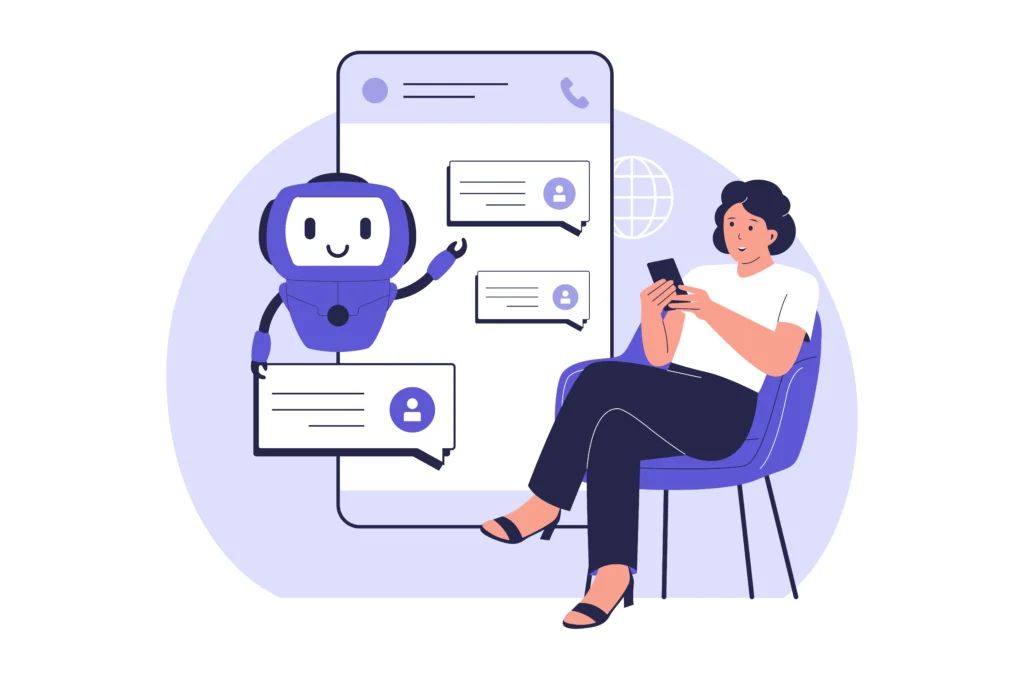
The AI boom isn’t slowing down. If anything, it’s weaving itself into nearly every corner of business operations. And the surprising thing? An AI Assistant for small businesses can have a bigger impact than it does for massive corporations. Small businesses don’t have layers of management or giant teams… which means every hour saved, every lead qualified, every customer taken care of instantly truly moves the needle.
Key takeaways:
- What an AI Assistant actually is (in simple, non-tech jargon) and how it differs from chatbots, virtual Assistants, “AI agents,” and personal AI tools.
- The real benefits for SMBs, so you can decide if those are worth it for you.
- What AI can realistically do today and what it can’t fully replace yet.
- How hard is it to implement an AI assistant if you are a small business owner?
- How to pick the right AI solution for your business.
What Is an AI Assistant for Small Businesses?
An AI Assistant is software that can communicate like a human, automate your routine tasks, and operate across multiple parts of your business instantly.
Core Technologies Behind AI Assistants
AI Assistants might sound like “future tech,” but the tech behind them is surprisingly easy to understand once you break it down:
- LLMs (The Brain): It knows how to communicate, write, explain, and think through problems.
- NLP (The Ears): It understands what people really mean, even if they’re unclear or typing fast.
- Integrations (The Tools and Access Badge): Just like an employee needs access to systems to get work done, your AI needs connections to your CRM, calendar, email, and website.
- Automation & Workflows (The Job Description): You give it rules like “respond instantly,” “confirm appointments,” or “follow up with leads,” and it follows them perfectly.
AI Assistant vs. AI Agent vs. Virtual Assistant
There are so many terms thrown around, so it’s easy to mix them up. Here’s a simple explanation:
- AI Assistant: Great for communication-based tasks like answering customer questions, scheduling appointments, sending reminders, and handling day-to-day admin work.
- AI Agent: You give it a goal (“follow up with every lead from yesterday”), and it figures out the steps automatically. It plans, executes, and adapts without needing constant supervision.
- Virtual Assistant: Not AI at all. This is simply a human you hire to perform tasks manually. Helpful, but limited by availability, cost, and scalability.
Read Next: How to Build AI Agents for Small Businesses
Benefits of an AI Assistant for Small Businesses?
Some benefits of an AI Assistant for small businesses can be noticed immediately, while others take time to show. Let’s see a detailed breakdown.
Increase Your Efficiency & Productivity
Most of your day is spent doing the same handful of tasks over and over. Answering the same questions. Confirming the same appointments. Sending the same follow-up messages.
An AI Assistant removes that mental clutter. It handles the repetitive work automatically so you can shift your attention to strategic decisions and customer relationships.
Lower Costs, Higher Output
Hiring help is expensive. Salaries, taxes, tools, onboarding, and the risk that they might not stay long.
AI gives you the output of a support rep, a scheduler, and a coordinator… for a tiny fraction of the cost. It’s the closest thing to adding staff without adding financial pressure.
Better Customer Support & Engagement
People today expect instant answers. Statistics show that about 82% expect a reply to sales or marketing questions in under 10 minutes, and 90% expect the same for general inquiries.
Your AI Assistant becomes your 24/7 frontline support, responding immediately so leads don’t get cold and customers don’t get frustrated. That alone can save you countless missed opportunities.
Smarter, Data-Backed Decisions
AI helps you make confident decisions by analyzing patterns: what customers ask most, when leads are strongest, where bottlenecks are happening, and what’s working (or not) behind the scenes.
With clearer insights, you can move faster and plan more effectively.
Fewer Mistakes
Small errors can cost real money. Missed messages, forgotten follow-ups, miscommunication.
When trained right, AI doesn’t get distracted or overwhelmed. It follows your processes consistently and ensures tasks are completed correctly the first time, helping your operations run smoother and more reliably.
What Can an AI Assistant Do?
Modern AI Assistants are built to handle tasks like:
- Automate Manual Workflows: From appointment flows to lead nurturing sequences, AI handles multi-step tasks automatically, reducing the workload on your team.
- Deliver Instant Customer Support: Customers get answers to common questions in real time, which boosts satisfaction and prevents leads from slipping away.
- Turn Raw Data Into Insights: AI quickly processes and interprets operational data so you can optimize performance, fix bottlenecks, and make informed decisions.
- Assist Multiple Teams at Once: AI works across the entire business, supporting sales, marketing, customer service, and operations simultaneously.

What Can’t an AI Assistant Do (Yet)?
Even though AI can handle a lot, there are still areas where humans outperform it.
- Emotional Intelligence Isn’t Its Strong Suit: AI can respond politely, but true empathy and nuance still come from real people.
- Sensitive Topics Still Need a Human Touch: In cases like billing issues, complaints, and personal concerns, AI can help start the conversation, but you’ll want a human on standby for the important stuff.
- AI Won’t Build Your Strategy for You: It can analyze the numbers, but it won’t decide your direction as a business. That’s still on you.
- Context Requires Training: For AI to understand your unique processes, language, and preferences, you need to give it examples. Without them, it may miss details a human would catch.
Is It Hard to Implement an AI Assistant in Business?
Setting up an AI Assistant isn’t hard if you choose the right tool for your type of business. With a modern AI Assistant, especially one designed for small businesses, the setup is guided, intuitive, and built for non-technical users. You can start small, automate a few tasks, and grow from there.
Here’s what the process usually looks like:
- Identify Your Repetitive Tasks (10-20 minutes)
Start by listing the things you do over and over: answering FAQs, confirming appointments, chasing leads, sending reminders, writing emails, and updating notes.
- Connect Your Existing Tools (15-30 minutes)
Most AI Assistants plug directly into your CRM, calendar, email, or booking system.
This part is usually just a matter of clicking “connect” and signing in.
- Train the AI With Your Business Information (30–60 minutes)
You should provide:
- Your common customer questions
- Your preferred tone
- Your service details
- Your pricing, hours, policies, etc.
The AI learns from your examples and gets more accurate as you use it.
- Build Simple Automations First (20-40 minutes)
Start with small automations that will instantly save you time. For example:
- Booking automation
- Rescheduling automation
- Canceling appointment automation
- Test, Adjust, and Expand (Ongoing)
Once the basics are working, you can gradually:
- Add more workflows
- Improve responses
- Connect more channels
- Scale automation across departments
What to Look for in a Small Business AI Assistant?
Here is what you should look at when you decide to implement an AI Assistant for your business. This section will give you a general overview of best practices. For a deeper dive, read our guide on choosing the best AI assistant.
Automation (Workflows, Triggers, Tasks)
An AI Assistant should automate repetitive tasks, run multi-step workflows, and trigger actions based on customer behavior.
Natural Language & Conversational AI
Your AI Assistant needs to have strong conversational skills, so it can answer questions smoothly, adapt to different tones, and hold human-like conversations without sounding robotic.
CRM, Email & Calendar Integrations
Integrations let the Assistant pull customer data, update records, schedule appointments, send messages, and support sales.
Customization & Business Training
A good AI Assistant should be able to adapt to your tone, processes, FAQs, and industry-specific needs. The more you can train it, the more accurate and helpful it becomes.
Team Collaboration & Handoff
Look for tools that allow smooth transitions from AI to team members when a conversation becomes sensitive, complex, or too important to automate. This creates a seamless experience for both customers and staff.
Our Recommendation: Referrizer’s AI Assistant
Referrizer’s AI Assistant is designed specifically with small businesses in mind. It is easy to implement and train, so you can start seeing benefits quickly.
It can help you to:
- Qualify leads instantly
- Book appointments automatically
- Answer customer questions
- Personalize communication
- Support sales follow-ups
- Enhance customer engagement
FAQ
Will an AI Assistant replace my employees?
No, AI Assistants are not designed to replace people. They’re meant to support your team by handling repetitive, time-consuming tasks so your staff can focus on the work that requires human judgment, creativity, and personal connection. Most small businesses actually find that AI helps their employees become more productive, less overwhelmed, and more effective.
Do I need technical skills to use an AI Assistant?
Not at all. Modern AI tools are built for everyday business owners, not programmers. If you can send a text message, fill out a form, or click through simple settings, you can set up an AI Assistant.
How quickly will I see results after implementing AI?
Most small businesses see results within hours or days, not weeks. As soon as the AI starts handling customer questions, qualifying leads, or automating follow-ups, you can immediately feel the difference in your workload.
Does AI work even outside business hours?
Yes, that’s one of its biggest advantages. AI Assistants don’t sleep, take breaks, or clock out. They can answer questions, collect leads, book appointments, and support customers 24/7, even on weekends and holidays.